
Compiling programs
Descent does not provide a mechanism to compile. However you can configure an external tool to compile. The following steps show how to configure Rebuild to compile a project:
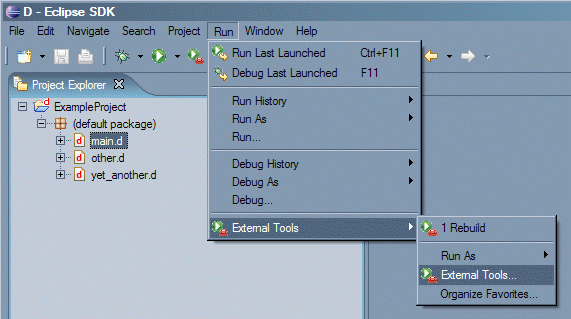
- Select the file that contains the main function and go to Run -> External Tools -> External Tools
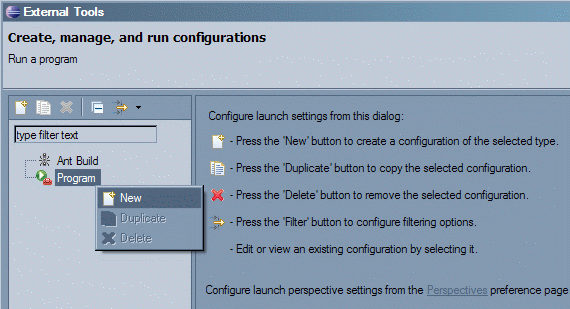
- Right click on Program and select New
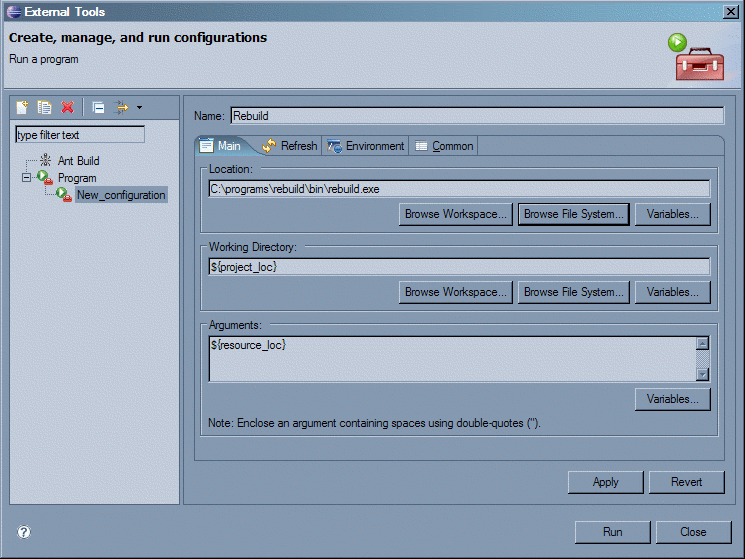
- Enter "Rebuild" on the name field.
- Enter the path to the rebuild executable in the location field.
- Enter ${project_loc} in the working directory field.
- Enter ${resource_loc} followed by any other argument you wish to supply to rebuild in the arguments field. If you'd like to add symbolic debug information when compiling, enter '${resource_loc} -g'.
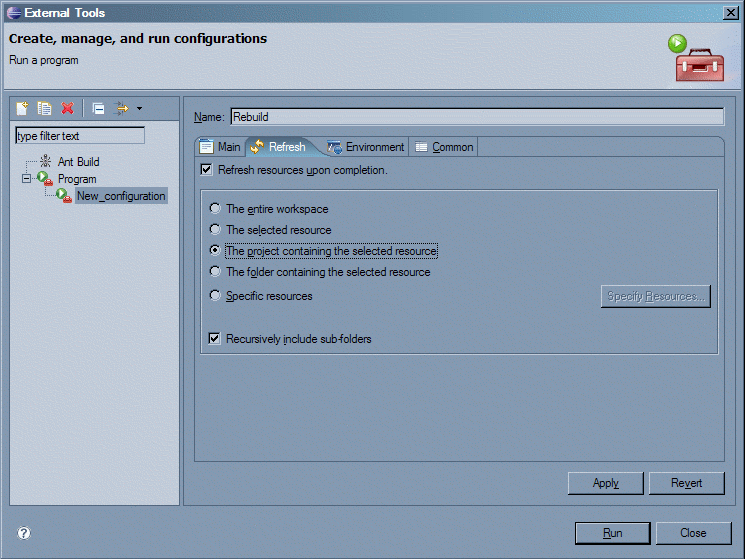
- In the refresh tab, check "Refresh resources upon completion" and select "The project containing the selected resource".
- Click the Run button.
- If there are errors, they will be shown in the Console view and you can click on it to jump to the locations where the errors are found.

The configuration is saved, so you can re-run build later on other files.